


CUCU Covers makes ultra-thin skins that cover a bank card without stopping it working — tap, chip and ATMs all still function. With over a thousand designs, licensed anime collabs and a custom upload option, it is one of the cheapest ways to personalize something you use daily.
What we recommend

What a Card Skin Actually Is
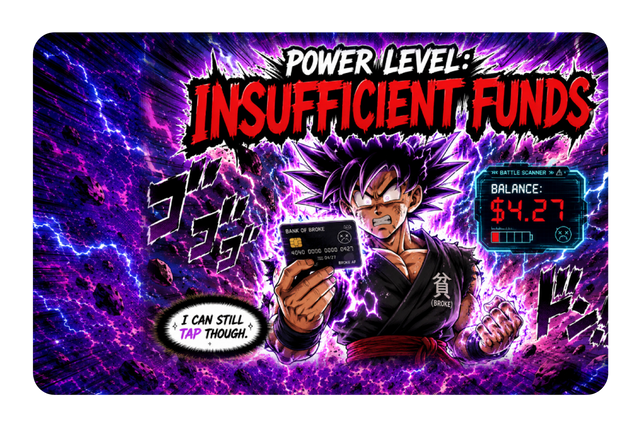
A card skin is a thin adhesive layer applied over the face of a credit, debit or transit card. The entire product rests on one technical claim: that it is thin enough not to interfere with how the card works. CUCU states that tap, chip and ATM use all continue to function, which is the only thing that matters, because a skin that jams in a cash machine is worse than no skin at all. The appeal is straightforward — a bank card is one of the few objects you handle every day and have absolutely no say over the appearance of. For under $25, a skin gives you that say without changing anything about the account behind it.
🔥 Top deals
Real products from the brands in this guide — price as the store listed it


The Catalogue Is Bigger Than It First Looks
The card skin range alone runs past a thousand designs, sorted into categories that tell you who buys them: anime, cars, sports, artistic, cute and kawaii, pets, classic art, funny memes, retro and nostalgic, animals and crypto. Beyond cards, the same printing extends across device skins for iPhone, MacBook, iPad, PlayStation, Steam Deck, Nintendo Switch, Xbox, e-readers including Kindle and Kobo, and the ASUS ROG Ally. There are also stickers, wall art, custom license plates and gift cards. If you arrived for a card skin and stayed for a Steam Deck wrap, that is the catalogue working as designed.
Licensed Collabs Versus Artist Designs
Two different things sit under the collabs heading and they behave differently. The licensed properties — Cowboy Bebop, Attack on Titan, Genshin Impact — are the ones people search for by name, and licensing means availability depends on an agreement that can end. The independent artist collections, from illustrators like Charly Clements, Jess Miller and Megan Roy among others, are the ones worth browsing if you do not have a specific franchise in mind, because they tend to be more distinctive than generic patterns and they support a named creator. If a licensed design is what brought you here, buy it when you see it rather than bookmarking it.
Custom Uploads: The Best Use of This Shop
The create-your-own option covers card skins, wallets, Kindle and Kobo skins, wall art, decals, and skins for iPhone, PlayStation, Nintendo, Xbox, Steam Deck and MacBook. This is where the shop is most interesting, because a personal photo on a bank card is something no retail design can compete with — a pet, a child, a place. Two practical notes make the difference between a good result and a blurry one. Upload the highest resolution file you have, since a card skin is small but printing is unforgiving of a compressed phone screenshot. And keep the important part of the image away from the edges, because card skins have cutouts for chips and the trim is not negotiable.
Applying It Without Bubbles
The single thing that ruins a card skin is a rushed application, and it takes two minutes to avoid. Clean the card first — a bank card carries oil from being handled constantly, and adhesive does not stick well to it. Line up one edge before laying the rest down rather than dropping it on flat, and press outward from the centre so air has somewhere to go. If a bubble forms, lift the nearest edge and lay it again rather than pushing the bubble across the card. Take particular care around the chip cutout, since a skin sitting slightly over the chip is the one alignment error that can actually affect whether the card reads.
What It Costs and What That Buys
Card skins sit at the low end, roughly $8 to $25 depending on design and whether it is custom. That price range is worth thinking about in terms of what it competes with. It is not competing with a new wallet or a new card; it is competing with a coffee. At that level, the decision is less about value for money and more about whether you will enjoy seeing it — which makes it an unusually good small gift, an easy add-on to a larger order, and a low-risk way to test whether you like the custom printing before committing to a laptop or console skin at several times the price.
Device Skins: Where the Stakes Rise
Moving from a card to a MacBook or a Steam Deck changes the calculation in three ways. The surface is far larger, so a low-resolution custom image that looked acceptable on a card will look poor. The application takes longer and alignment matters more, since cutouts for ports, cameras and vents have to land correctly. And removal becomes a real question — you want to know the skin comes off cleanly when you sell the device or change your mind. Start with a card skin, see how the print and the adhesive behave, and use that experience to decide whether to wrap something that cost you a thousand dollars.
Who Should Buy
Buy a card skin if you like the idea of the objects you use daily looking like yours rather than like the bank's, or if you want a genuinely cheap gift that is more personal than a gift card. Buy the custom option if you have a good photo — that is the version people keep showing to other people. Skip it if your card is already contactless-only and lives inside a phone case you never look at, because then you are decorating something you never see. And if you do order, spend the two minutes cleaning and aligning: the difference between a skin that looks professional and one that looks stuck on is entirely in the application.
Frequently asked questions
Will a card skin stop my card working?
CUCU states tap, chip and ATM use all continue to work, since the skins are made ultra-thin for exactly that reason. Alignment around the chip cutout is the one thing to get right during application.
Can I put my own photo on a card?
Yes — the create-your-own option covers card skins plus wallets, e-readers, phones, consoles and laptops. Use the highest resolution file you have and keep key detail away from the edges.
How much do card skins cost?
Roughly $8 to $25 depending on the design and whether it is a custom upload, which makes them one of the cheapest personalised gifts in the catalogue.
Some links on this page are affiliate links. If you buy through them we may earn a commission at no extra cost to you. Prices and availability are taken from the retailer and can change without notice. Compiled by The Found Good editors.