


A gaming desktop needs the right balance of GPU, CPU, RAM and storage to deliver smooth performance at your target resolution. Most first-time buyers overspend on one component and skimp on another, creating bottlenecks that waste money. This guide walks you through every spec that matters, the real trade-offs, and what you can safely skip.
What we recommend




Why this purchase goes wrong for most first-time buyers
Gaming desktop buying mistakes fall into a few predictable patterns. The most common: buyers fixate on the graphics card and ignore the CPU entirely, creating a bottleneck where the GPU sits idle waiting for the processor to catch up. Another frequent trap is pairing a powerful card with a cheap monitor, or buying a mid-range GPU for a 1440p or 4K display it cannot handle. Many skip RAM upgrades and settle for 8GB—in 2026, Windows 11 alone consumes 4-5GB at idle, leaving almost nothing for games. Storage gets overlooked too; modern AAA titles exceed 30GB each, and a small SSD fills fast. Finally, buyers chase aesthetics over performance, ending up with a rig that looks powerful but runs old games poorly. The fix: decide your target resolution and refresh rate first, then budget 35-40% for the GPU, allocate matching CPU power, and lock in 16GB DDR5 RAM and a 1TB NVMe SSD as the minimum floor.
🔥 Top deals
Real products from the brands in this guide — price as the store listed it
 Jsaux
Carry Sling Bag for Nex Playground
$39.99
Shop now →
Jsaux
Carry Sling Bag for Nex Playground
$39.99
Shop now →
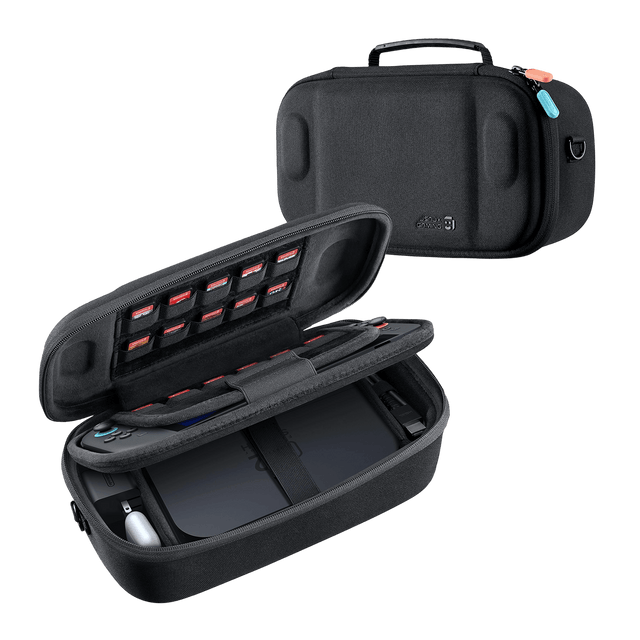 Jsaux
FlexForm Series | Double-decker Travel Case for Switch 2
$29.99
Shop now →
Jsaux
FlexForm Series | Double-decker Travel Case for Switch 2
$29.99
Shop now →
 Jsaux
All-in-One Carrying Case for Steam Machine
$49.99
Shop now →
Jsaux
All-in-One Carrying Case for Steam Machine
$49.99
Shop now →
 Easysmx
EasySMX® M20 Bluetooth Mobile Gaming Controller for Android, iphone and Switch
$59.99
Shop now →
Easysmx
EasySMX® M20 Bluetooth Mobile Gaming Controller for Android, iphone and Switch
$59.99
Shop now →
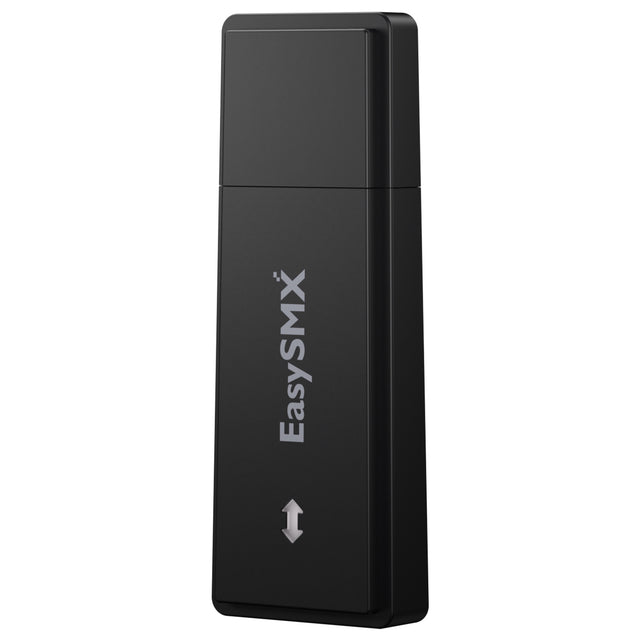 Easysmx
EasySMX® 2.4G Receiver USB Dongle for X05 Pro Game Controller
$11.99
Shop now →
Easysmx
EasySMX® 2.4G Receiver USB Dongle for X05 Pro Game Controller
$11.99
Shop now →
 Easysmx
EasySMX® D10 Charging Dock
$14.99
Shop now →
Easysmx
EasySMX® D10 Charging Dock
$14.99
Shop now →
Decide this first: the one question that narrows everything else?
The single most important decision is your target resolution and frame rate. Everything else flows from that one choice. If you want smooth 1080p gaming at 60+ FPS, you need far less power than hitting 1440p at high settings, which is far cheaper than 4K. In 2026, 1440p has become the sweet spot—it balances visual quality against cost and delivers the performance most players expect. Once you pick your resolution, you know your GPU tier: RTX 5060 or better for 1080p, RTX 5070 for 1440p, and RTX 5080 or higher for 4K. That target then determines your CPU budget (avoid bottlenecks by pairing mid-range GPUs with Ryzen 7 or Core i7 chips), your RAM allocation (16GB minimum, 32GB for heavy multitasking), and storage (512GB entry-level, 1TB standard, 2TB for large game libraries). Everything else—case style, RGB lighting, water cooling versus air cooling—matters far less than locking in this one variable first.
The specs, materials or sizes that actually matter
The GPU is the single most critical spec; it drives frame rate and visual quality more than any other part. Allocate 35-40% of your total budget here. For CPUs, a modern 6-8 core processor handles gaming; enthusiasts and streamers benefit from 12+ cores, but pure gaming still rewards strong single-core performance and cache more than core count. RAM must be 16GB minimum in DDR5 dual-channel configuration; 8GB causes constant page-file swapping and severe performance hits. Storage should be a fast NVMe SSD—512GB entry-level, 1TB standard. Mechanical HDDs are now dead for gaming due to load-time penalties; every new build ships with solid-state drives. Power supply wattage matters for stability: calculate your GPU's TDP, add 150W overhead, and buy at least that much from a reputable 80+ Bronze or better unit. Cooling is often overlooked but essential: air cooling suffices for most entry and mid-range systems, while high-end builds with RTX 5080 or stronger benefit from AIO liquid coolers to maintain sustained clock speeds. Case airflow, while invisible, affects cooling and component lifespan dramatically.
- GPU: 35–40% of budget, the primary performance driver
- CPU: 6–8 core modern chip, matched to your GPU tier
- RAM: 16GB DDR5 minimum, dual-channel for gaming
- Storage: 1TB NVMe SSD, avoid mechanical drives
- PSU: GPU TDP + 150W, 80+ Bronze certified minimum
- Cooling: air for entry/mid-range, AIO for high-end rigs
The trade-offs, and what is safe to skip
The most obvious trade-off is price versus performance: every tier up costs more and delivers diminishing returns once you reach 1440p at 60+ FPS. A sub-$1,000 build can deliver smooth 1080p or entry-level 1440p play. Jumping to $1,500-$2,000 buys sustained 1440p at high/ultra settings. Beyond that, returns flatten unless you chase 4K or 144+ Hz refresh rates. RGB lighting is purely aesthetic and adds cost; a boring case with no lighting runs cooler and costs less. Tempered glass panels look sleek but don't improve performance and can obstruct airflow; solid steel cases often cool better. Water cooling for entry-level builds is unnecessary overkill; air cooling does the job at half the cost. Buying non-upgradeable prebuilts with proprietary motherboards or PSUs is a trap that forces total replacement later; stick to standard ATX form factors. Storage speed beyond NVMe offers no real gaming benefit, so don't pay extra for the fastest PCIe Gen 5 drives. Upgrading RAM or storage after purchase is cheap and straightforward, so starting with 16GB and 1TB is safe; starting with 8GB or 256GB locks you into painful tradeoffs fast.
Sizing, fit or capacity: how to get it right the first time
Gaming desktops come in three main form factors: full ATX (large, most upgrade flexibility), micro-ATX (smaller, still upgradeable), and mini-ITX (compact, limited future expansion). For a first buyer, full ATX is safest—it fits all standard components, offers the most airflow, and allows easy upgrades down the line. Micro-ATX works if space is tight and you don't plan major future changes. Mini-ITX is for enthusiasts comfortable with careful cable management and component selection; most first buyers regret it because cooling and upgrade headroom suffer. Case size should match your component mix: a large case with a compact GPU and modest CPU looks wasteful but cools better. A cramped case with high-end components runs hot and makes repairs difficult. Power supply wattage is your second sizing concern: a 650W unit supports most 1440p rigs; 750W handles RTX 5070 systems safely; 1000W is for RTX 5080 or dual-GPU setups. Undersizing the PSU risks crashes and component damage; oversizing costs extra but does no harm. For storage, account for Windows (30GB) plus your game library; a 1TB SSD holds roughly 20-25 modern AAA games if they're 30-50GB each. Plan for your actual game backlog, not just current titles.
Who each kind of buyer should look at — name shortlist brands here
Entry-level 1080p builders on a tight budget benefit from assembling their own rig or buying a budget prebuilt, then adding peripherals and accessories afterward. Serious competitive esports players chasing 144+ FPS in titles like CS2 or Valorant should buy the fastest CPUs and GPUs they can afford, then optimize frame rate over visual quality. Streamers and content creators who record gameplay or edit video need 12+ core CPUs paired with mid-range GPUs; the CPU load is as important as the GPU here, making platform choice (Intel or AMD) critical. Casual gamers exploring open worlds at steady 60 FPS on high settings get best value from mid-range 1440p rigs costing $1,200-$1,600. Enthusiasts who want to maximize performance without spending $3,000+ should buy a solid foundation (RTX 5070 + Ryzen 7 5800X3D) with room to upgrade the GPU in 2-3 years. For accessories, Jsaux makes carrying cases and protective cases that safeguard gaming setups during transport or storage. Easysmx produces game controllers and USB dongles for console-style play on PC. GTRacing and autofull.eu both make gaming chairs in different price ranges—critical for long sessions but separate from the desktop itself.
Quality and value: what separates a good buy from a cheap one
A good gaming desktop balances all four core specs—GPU, CPU, RAM, and storage—so no single component creates a bottleneck. Cheap prebuilts often cut corners by using old, mismatched CPUs with new GPUs, or cramming everything into a poorly ventilated case. Quality rigs ship with modern 80+ Bronze or better PSUs, standard DDR5 RAM that is upgradeable, and stock coolers rated for sustained loads. Brand reputation matters: established manufacturers back their systems with proper warranties and post-sale support. Cheap OEM-branded rigs often use non-standard form factors that make future upgrades impossible. A prebuilt gaming desktop now costs less than assembling one yourself thanks to component inflation, so quality prebuilts offer genuine value. The real separator between good and poor value is component matching: a $1,500 rig with a high-end GPU and a weak CPU wastes money on the GPU; a $1,000 rig with balanced specs delivers more real gaming performance. Look for 2-year warranties on the system and 3-5 year warranties on the GPU. Free OS installation (Windows 11) should be included; if you're charged extra, walk away. Thermal design and case quality separate good prebuilts from cheap ones: review photos and specs for AIO cooling, at least 3 case fans, and positive airflow. High-end rigs (RTX 5080+) justify liquid cooling; mid-range builds are fine with good air cooling.
How to save money: when prices drop and what a code realistically covers
Gaming desktop prices fluctuate most around major sales events: Black Friday (November), Cyber Monday, and back-to-school sales (August-September). Spring sales are quieter. Labor Day sales in early September sometimes offer genuine discounts—up to 15-20% off prebuilts from major retailers like Best Buy, Dell, and Lenovo. January after holiday returns is another soft spot for deals as retailers clear stock. Real dollar-off coupons are rare in prebuilt gaming desktops; most discounts are percentage-based. A typical gaming desktop deal saves 10-15%, not 30-50%. Watching for new GPU releases is your secret weapon: when NVIDIA or AMD launch a new card, older-generation rigs selling the prior-gen GPU often drop 10-20% in price overnight. Buying a 30-day-old RTX 5070 system when RTX 5080 launches is smart timing. Manufacturer discount codes from email lists or brand pages sometimes offer 5-10% off, but often exclude high-end models or clearance items. Retailer cashback (through credit cards or loyalty programs) adds 2-5% back over time. Building your own costs less to customize but requires research and carries assembly risk; prebuilts offer faster deployment and warranty coverage. The real savings come from buying during soft seasons (July-August, January) or waiting for new hardware launches—not from magic coupon codes, which are uncommon in gaming PC retail.
Mistakes shoppers make, and how to avoid them?
The CPU-GPU mismatch remains the top mistake: a Ryzen 5 paired with an RTX 5080 leaves the GPU starved for work, while an RTX 5060 with a Ryzen 9 wastes CPU horsepower. Match your CPU tier to your GPU within one generation. Second, ignoring the monitor: buying a powerful GPU for 1440p but pairing it with a cheap 1080p monitor removes half the benefit; the monitor should match your GPU's capabilities. Third, undersizing RAM or storage thinking you will upgrade later; the hassle and cost make people procrastinate, and the system feels sluggish for years. Buy 16GB DDR5 and 1TB NVMe from day one. Fourth, buying proprietary or non-standard rigs that cannot accept standard GPU or CPU upgrades; check the motherboard spec sheet before buying a prebuilt. Fifth, neglecting case airflow and cooling during comparison shopping; a beautiful case that runs hot and throttles performance is a terrible buy. Sixth, paying for aesthetic extras (RGB, tempered glass, premium paint) instead of performance—these add $100-300 for zero gameplay gain. Finally, buying before knowing your actual gaming needs; a teenager chasing 240 FPS esports needs different specs than a parent playing story-driven games at 60 FPS. Define your use case and resolution target first, then spec the machine to match.
Frequently asked questions
Is 16GB RAM enough for gaming in 2026?
Yes. 16GB DDR5 in dual-channel configuration is the minimum standard for 2026 gaming desktops. Windows 11 consumes 4-5GB at idle, leaving 11-12GB for games and background apps. 8GB causes constant page-file swapping and severe performance drops. 32GB benefits heavy multitaskers, streamers, and content creators but is overkill for pure gaming.
Should I buy a prebuilt or build my own gaming desktop?
Prebuilts now offer better value. RAM prices and component scarcity make assembly more expensive than buying a prebuilt with warranty coverage. Prebuilts are faster to deploy and backed by manufacturer support. Build your own only if you enjoy the process or need extreme customization.
How often should I upgrade my gaming desktop?
A balanced build from 2026 remains capable for 4-5 years at 1440p high settings. Replacing only the GPU every 2-3 years is cheaper than full replacement. The CPU, RAM, and storage age slower. Plan for one major GPU upgrade in the system's lifetime before considering a full rebuild.
Some links on this page are affiliate links. If you buy through them we may earn a commission at no extra cost to you. Prices and availability are taken from the retailer and can change without notice. Compiled by The Found Good editors.